Currently Empty: ₦0.00

Would you like to earn money by building websites in Nigeria, but you do not know how to code? The opportunity is more accessible than many beginners think. Small businesses, schools, churches, online vendors and professionals need websites, yet many of them do not need expensive custom software.
With WordPress, suitable themes and carefully selected plugins, you can create practical websites that solve real business problems. This guide introduces seven website types you can learn to build without coding and explains how to approach each one professionally.
Quick answer: Beginners can use WordPress to build business websites, online stores, school portals, logistics websites, job boards, blogs and membership platforms without writing everything from scratch. Your income depends on your skills, the quality of your work, the client’s requirements and your ability to find customers—there is no guaranteed amount.
Can you make money building websites without coding?
Yes. Many website projects involve planning, design, content arrangement, WordPress configuration, payment setup, mobile optimisation and ongoing maintenance rather than custom programming.
A no-code tool does not remove the need for skill. Clients still expect a website that loads properly, works on mobile phones, protects user information and helps their business achieve a clear goal. Your value comes from understanding the client’s problem and assembling a dependable solution.
If you are completely new, start with our guide on how to create a website in Nigeria without coding. It explains domains, hosting, WordPress, themes, plugins and the basic launch process.
7 website types you can learn to build
1. Small-business websites
Many Nigerian businesses need a simple professional presence online. A business website can introduce the company, explain its services, show completed work and help potential customers make contact.
A typical small-business website may include:
- A clear home page
- An About page
- Service or product information
- A portfolio or gallery
- Customer testimonials
- A contact form and WhatsApp button
- A map or business location
This is a good starting point for beginners because the website can be useful without having complex features. Focus on clear writing, fast loading, trustworthy contact information and a strong call to action.
2. E-commerce websites
An e-commerce website allows a business to display products, accept orders and manage basic store operations. WordPress and WooCommerce can provide product pages, shopping carts, coupon codes, order notifications and stock controls.
Before accepting a store project, discuss:
- The number and type of products
- Payment methods
- Delivery locations and charges
- Stock management
- Returns and refund policies
- Customer email notifications
Online stores require thorough testing. Place a complete test order, confirm that payment and delivery rules work, and check every customer notification before launch.
3. School and training websites
Schools, tutors and training organisations need websites to publish information, receive enquiries and deliver learning materials. A basic school website may contain admission information, announcements, downloadable documents, contact details and staff profiles.
More advanced projects can include course enrolment, student accounts, quizzes and certificates through a learning-management plugin. Clearly define the expected features before giving a price because a simple information website is very different from a complete student portal.
4. Logistics and delivery websites
Logistics companies need websites that clearly explain their service areas, delivery options and enquiry process. A straightforward version can include a quote form, WhatsApp contact, service descriptions and frequently asked questions.
Advanced logistics projects may require shipment tracking, automated pricing or third-party integrations. Do not promise these features unless you have tested the exact solution. Begin with a reliable customer-enquiry system and add complexity only when it is genuinely required.
5. Job-board and recruitment websites
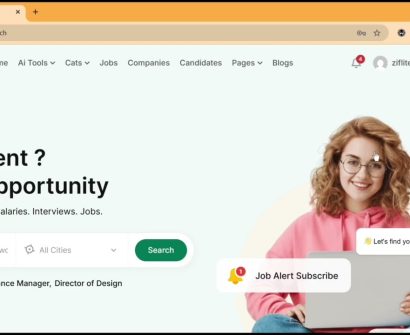
A job-board website can allow employers to publish vacancies and candidates to search or apply for opportunities. Recruitment agencies can also use it to explain services, collect candidate details and share career resources.
Important considerations include:
- Who is permitted to submit jobs
- How applications are received
- Whether candidate documents are stored
- How long listings remain active
- Privacy and data-protection requirements
- How fraudulent listings will be handled
Because candidates may submit personal information, use secure forms, collect only necessary data and establish a clear privacy policy.
6. Blogs and news websites
A blog helps an individual or organisation publish useful articles consistently. Businesses can use blog content to answer customer questions, demonstrate knowledge and attract visitors through search engines and social media.
A professional blog needs readable typography, categories, search, author details, sharing options and a simple publishing workflow. It should also be easy for the owner to update without calling the developer for every new article.
Successful blogging takes consistent, helpful content. Installing WordPress is only the beginning; the owner still needs a realistic content plan.
7. Membership and digital-resource websites
A membership website restricts selected content to registered users. It can be used for a private community, premium lessons, downloadable resources or customer support materials.
These projects may involve registration, access levels, recurring or one-time payments, password recovery and automated emails. Test each type of user account and confirm exactly what every membership level can access.
How to choose your first website niche
Do not try to master every website type at once. Choose one niche that matches businesses you understand or can easily reach.
Use these questions:
- What problems does this type of client usually have?
- Which pages and features do they genuinely need?
- Can I build and test those features reliably?
- Can the client maintain the website after launch?
- Can I explain the business benefit in simple language?
Build one demonstration website for your chosen niche. A strong working example is more convincing than claiming you can build every possible kind of platform.
What should you charge?
There is no single correct price. The fee depends on the number of pages, required features, content preparation, licences, integrations, deadline and support period.
Prepare an itemised proposal covering:
- Domain and hosting
- Design and development
- Premium themes or plugin licences
- Content and image preparation
- Payment or third-party integrations
- Training and documentation
- Maintenance and support
Avoid quoting only from the client’s business size. First understand the work, risks and ongoing responsibilities involved.
Essential skills beyond the page builder
To produce dependable websites, learn more than drag-and-drop design. Develop practical knowledge of:
- Domain and hosting management
- WordPress installation and updates
- Mobile-responsive design
- Image optimisation
- Basic search-engine optimisation
- Website security and backups
- Forms, email delivery and spam protection
- Client communication and project scope
These skills help you avoid common problems and make your service more valuable.
Common mistakes to avoid
- Promising features you have never tested
- Using nulled or pirated themes and plugins
- Starting without a written project scope
- Ignoring mobile-phone visitors
- Installing too many unnecessary plugins
- Launching without backups
- Failing to test forms, payments and email notifications
- Offering unlimited revisions without clear boundaries
Frequently asked questions
Do I need a laptop to start?
A phone can handle some WordPress tasks, but a laptop is strongly recommended for serious website building, testing and file management.
Do I need to learn programming?
You can build many useful WordPress websites without programming. Basic HTML and CSS can still become valuable as you progress and need more control.
How do I find my first client?
Start with businesses or organisations you understand. Create a relevant demonstration, identify a real problem in their current online presence and explain how your proposed website will help. Do not rely on sending the same generic message to everyone.
Can website building guarantee a fixed monthly income?
No. Income depends on your competence, pricing, marketing, customer service and the demand you can reach. Treat website building as a professional service that requires continuous learning.
Start learning with practical guidance
The best way to improve is to build real projects and test every important feature. If you want a structured introduction, explore WordPress for Beginners: Build Professional Websites from Scratch at Ziflite Academy.
Start with one website type, complete it properly and use what you learn to build a stronger portfolio.